Scene Structure
Splash Flow
Every game involves five basic states, controlled by the Splash Flow prefab:
Splash Screen - Displays the introduction for each game. Depending on the activity, this could be an image, a video, or something else. If the introduction is an image, the Splash Screen state has a Timer component that will trigger the next state after a given amount of time. Otherwise, use the UnityEvent that fires when the introduction is finished (for example, OnVideoEnded) to trigger the next state.
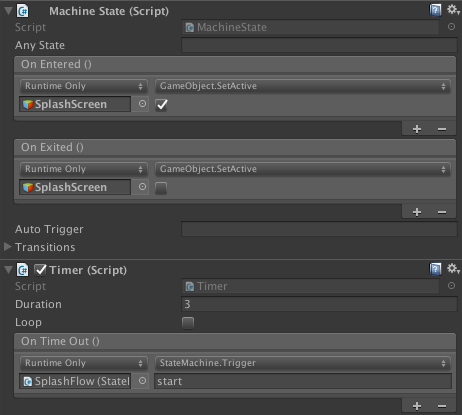
Game Running - Enables and disables the GameRunning object, which contains all the elements involved in actual gameplay. This state should enable the GameRunning object OnEntered, and depending on the activity it may or may not disable the GameRunning object OnExit.
Celebration End - This state plays a Timeline that tells the student the activity is over.
Log Completed - This state logs that the student has completed the activity.
Exit - This state takes the student to the transition scene before the progress menu.
Note
The only SplashFlow states you need to worry about modifying in an activity are Splash Screen and Game Running. The last three states are self-contained and already setup to do what they need to do.
Navbar Canvas
The Navbar Canvas is a prefab that provides conistent navigation buttons and HUD information throughout the product. This prefab has several buttons that can be utilized by your game. e.g. GoOnButton, RecordButton.
You can add whatever functionality you want to the buttons as long as you don't apply any changes to the prefab. If you need to make changes to the whole prefab, make them in the Navbar Test Scene, which contains a neutral instance of the Navbar prefab. (See article on the Prefab Delta problem.)
Note
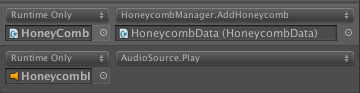
If your activity involves awarding honeycombs, you will need to create a Honeycomb Data object in the scene. At the point in the game when honeycomb should be awarded, call AwardHoneycombPiece on the HoneycombManager (the parent honeycomb object in the Navbar Canvas) and pass in the Honeycomb Data.

No Scene Specific Tags or Layers
Our team's convention is to keep tags and layers as general as possible. That is, we do not make specific tags or layers for an activity.
Game Running
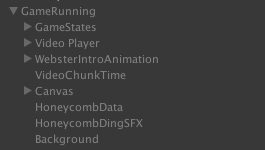
The Game Running object is the parent of all the objects that should be disabled before and after actual gameplay. This includes things like game-specific state machines, timers, and clickables.
Neutral Prefabs
Most of our scenes have a GameOject called NeutralPrefabs. This game object usually has the InactiveOnAwake script attached and has children game objects that will be spawned during the game. See the article on NeutralPrefabs for more information.
